
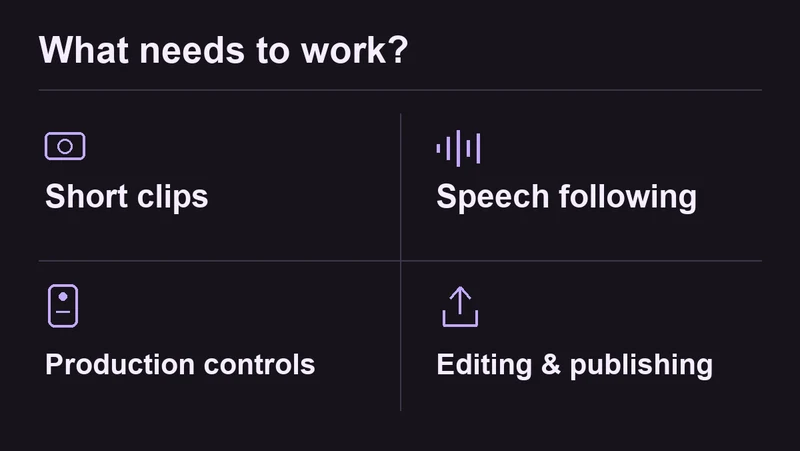
If you record short scripts, start by checking what the free export actually includes. If you pause or go off script, look at speech following. If you work with a separate camera or a production team, remote controls and publishing tools may matter more. The best iPhone teleprompter app depends on which of those jobs you need it to do.
Disclosure: We make Teleprompter Pal and list it first. This is our selection guide, not an independent review. Competitor features below come from official sources checked on 19 October 2026. Pal has internal iPhone recording and export test results. We have not completed the same hands-on test across the other apps, so the numbering reflects our editorial selection rather than a comparative performance test.
Which iPhone teleprompter app should you try?
| Your main need | Start by looking at | Check before committing |
|---|---|---|
| Reading, recording, retakes and a simple trim/crop workflow | 1. Teleprompter Pal | Our tested build uses set-speed scrolling, not speech following. |
| A short video without a watermark | 2. Teleprompter for Video | Its documented free script limit is 750 characters. |
| A script that follows spoken English | 3. PromptSmart Pro | The exact Pro listing says English-only VoiceTrack; it is a paid download. |
| Remotes or a separate teleprompter display | 4. Teleprompter Pro | Identify the edition and paid features your setup needs. |
| Scripts, captions and social publishing together | 5. BIGVU | Free exports are documented as 720p with a watermark. |
These suggestions are editorial judgments based on the features and limitations detailed below. If you are still deciding which device should hold the script, compare a browser teleprompter or iPhone app first.
Free limits and prices to check
“Free to download” does not tell you whether the final clip has a watermark, whether your whole script fits, or which export requires payment.
| App | Free entry point | Paid reference |
|---|---|---|
| 1. Teleprompter Pal | Private beta; request early access. | Pricing is not listed on the current product page. |
| 2. Teleprompter for Video | Scripts up to 750 characters; listing says no watermark. | Support guide: $34.99/year or $8.99/month. Store lists multiple offers; check the in-app confirmation. |
| 3. PromptSmart Pro | No free download of this Pro edition. | $29.99 upfront in the US App Store, with optional in-app purchases. |
| 4. Teleprompter Pro | Free download with upgrades; website also links a separate free Teleprompter edition. | Website: $59.99/year or $159.99 one-time. Confirm which extras need a subscription. |
| 5. BIGVU | Website: up to 9 minutes per video, 720p and watermarked. | Website AI Pro: $229/year billed annually. Check the iPhone offer separately. |
Sources: Teleprompter for Video upgrade guide, its US App Store listing, PromptSmart Pro US listing, Teleprompter Pro pricing and US listing, and BIGVU pricing.
1. Teleprompter Pal: recording and retakes on iPhone
Consider it for: keeping the script, camera take and basic edit together on the phone.
Teleprompter Pal is our iPhone app. Its current tested workflow includes local scripts, camera recording, saved takes, nondestructive trim/crop and MP4 export. Scrolling uses a pace you set; it does not listen and follow your speech. If voice following is essential, evaluate the speech-enabled options below.
Our internal device checks on 19 October 2026 used Pal 0.6.17 (37), an iPhone 17 Pro and iOS 27.0. These are checks of our development build, not an independent review or validation of a public App Store binary. Read the internal device-test record for the methods and limits.
| Internal check | Observed result | What that does not establish |
|---|---|---|
| Short and sustained camera capture | Saved 15.168-second and 60.180-second recordings; decoded originals were 1080 × 1920 H.264 with AAC audio. | Long-session reliability across all iPhones. |
| Leaving the app during a take | A 42.222-second interrupted recording finalized and could be played. | Every call, interruption or storage-pressure case. |
| Trim, square crop and export through the normal app UI | Exported a 7.90-second, 1080 × 1080 MP4. Photos and Files destinations completed; saved edit state survived an app restart. | A controlled comparison with competitor exports or a measured audio-sync result. |
The capture checks included real camera/audio sessions and independent decoding of the originals. The edit/export check used the ordinary app interface and confirmed the saved file’s dimensions and duration. We have not measured comparative eye contact, speech-tracking accuracy or speed to a finished video. We do not use private camera footage as public review imagery.
Tradeoff: these results support a specific recording/editing workflow. They do not justify calling Pal the best overall app. Access is currently through the private beta. Request early access to Teleprompter Pal.
2. Teleprompter for Video: short scripts and editing
Consider it for: a brief talking video you want to caption or reframe on the phone.
The developer documents recording, saving/sharing, trimming and resizing in its free tier, with a 750-character script limit. Its App Store description explicitly says these short recordings have no watermark. That makes it a useful first candidate for a short introduction or update. Count characters, including spaces, rather than assuming every one-minute script will fit. Free-tier details, App Store description.
The iPhone listing also advertises voice-assisted scrolling. We have not tested its tracking accuracy, microphone behavior or recovery after an ad-lib. Treat that as a feature to try with your own voice, not a guarantee of a clean take. iPhone feature listing.
Tradeoff: longer scripts require an upgrade. The support guide and store expose different price options, so use the purchase confirmation on your phone for the actual offer. This is not a verified current one-time-purchase recommendation.
3. PromptSmart Pro: speech following
Consider it for: English-language delivery with pauses or deliberate departures from the script.
PromptSmart advertises VoiceTrack as following your speech and waiting through pauses or ad-libs. VoiceTrack overview. The exact iPhone/iPad Pro listing specifies English only. It also lists Selfie Mode for reading beside the camera while recording HD video. We have not measured its recognition accuracy or latency. PromptSmart Pro feature and language details.
Tradeoff: the $29.99 download does not include every optional service. The listing describes an Extended subscription for features such as file sync and remote control. Check that distinction before budgeting for the workflow. PromptSmart’s wider product range should not be assumed to have the same language support, trial or pricing as this edition. Pro purchase and subscription details.
A sensible trial task is a paragraph containing a pause and an unscripted sentence. Check whether the app holds the right place when you return. A feature name alone cannot tell you how it handles your accent, room or microphone.
4. Teleprompter Pro: remotes and production setups
Consider it for: reading from glass, using an external display, or letting someone else control the script.
This is Teleprompter Pro by Teleprompter Apps Ltd, formerly Teleprompter Premium. Its official feature pages describe remote controls and a clean script feed over HDMI or AirPlay. Those controls make it a relevant candidate when the iPhone is part of a wider setup. The site also documents timed scrolling, cue points and adjustable margins. Product features.
Tradeoff: check the app and upgrade you are actually choosing. The website links a separate free Teleprompter edition, while the Pro App Store listing places camera recording among upgrade features. We have not verified the entitlement boundary on a fresh installation. The one-time option also should not be read as including every subscription extra: the listing specifically marks automatic SRT captions as requiring a Pro subscription. Website plans, Pro edition and upgrade details.
5. BIGVU: a broader video publishing workflow
Consider it for: making captions, branding clips and publishing as part of the same workflow.
BIGVU combines a teleprompter with video composition and social publishing. Its iPhone listing describes multiple takes, captions, cropping, camera-roll export and a cloud workflow. If you need those stages together, comparing it only as a scrolling reader misses much of what it offers. BIGVU iPhone features.
Tradeoff: the free website plan includes a watermark and 720p output. The AI Pro annual offer lists 4K export without the watermark and a 59-minute recording allowance. The annual amount is $229, not a $19 month-to-month commitment. These are website terms, not a verified iOS purchase quote. Current web plan details.
Before choosing the larger suite, write down which stage you want it to replace. If you already have an editor and publishing process, test whether the extra workflow helps your recording rather than buying on the number of features.
Test your shortlist with the same script
A readable prompt is only part of the job. Check the saved video and what happens when you make a mistake. Use this same short script in each app, with the same phone position, lighting and microphone:
This is a short camera test. I am reading from the phone while keeping my attention close to the lens. I will pause here for a breath. Then I will continue at a comfortable pace. If I lose my place, I will stop and restart this sentence. At the end I want a saved video I can find, play and share. Before I record the real version, I will check the sound, the framing and whether the script appears in the exported picture.
The sample is 83 words and 423 characters, including spaces. At 140 words per minute, the words alone take about 36 seconds; pauses add time. You can adapt it using the speech-time calculator. Do not change the text between apps when you want to compare a free script limit.
- Paste the sample into a new script. Note any account, import or payment step before recording.
- Adjust the text from your filming distance. Record one continuous take, including the pause and a deliberate restart.
- For speech following, add an unscripted sentence and return to the next written line. Record what actually happens.
- Find the take, trim the beginning if available, then save or export it. Play the exported file outside the app.
- Note the watermark, dimensions, sound, crop and any paywall. Keep the app version and purchase tier beside the result.
Choose the app that handles your real script and recovery steps. If Pal’s set-speed recording and retake workflow fits, request early access to Teleprompter Pal. If you need voice following or a production rig, start with the relevant candidate above and complete a short export before committing to a plan.