
Teleprompter Pal user guide
From your first script to a finished video. Find the controls, follow the steps, and keep your words close.
On this page
Your first take
- Create a script
Type, paste, or import the words you want to say.
- Find your pace
Choose a comfortable text size and rehearse aloud.
- Record your take
Open Camera mode, check your framing, and press Record.
- Finish and share
Trim and crop for free. Export a separate MP4 with Pro.
Explore the guide
Scripts
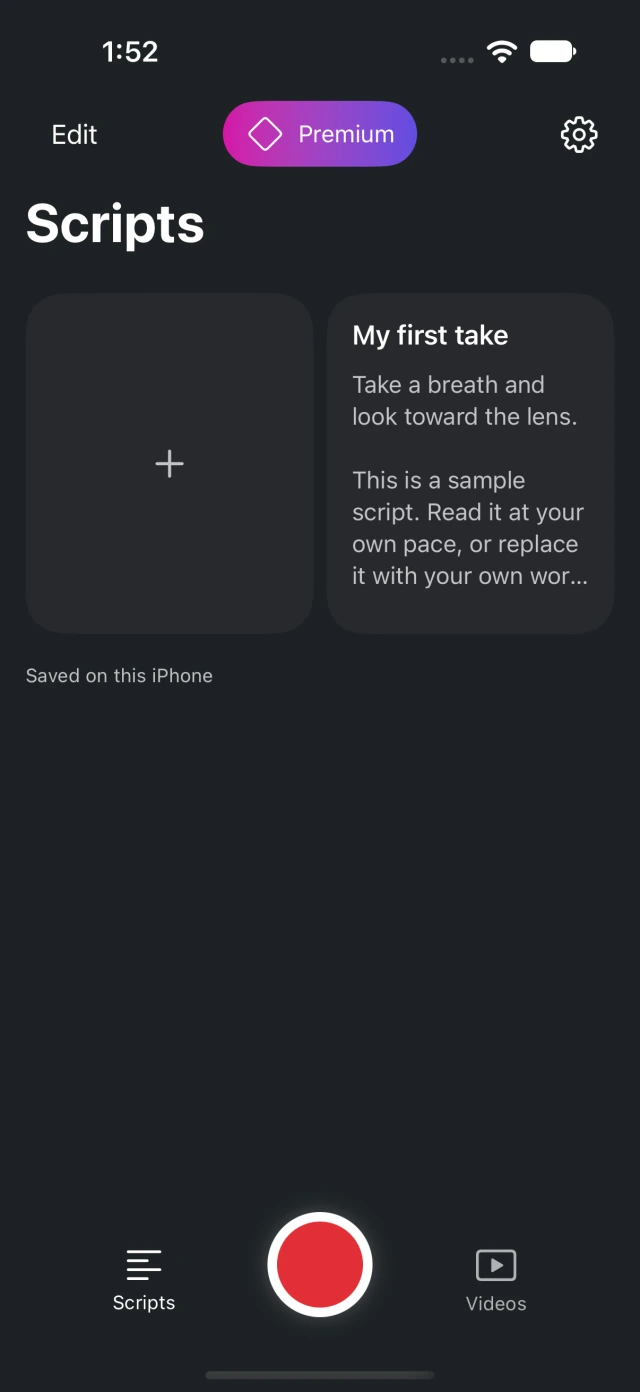
Create a scriptWrite or paste your words, name your script, and check that it is saved on your iPhone.Import and manage scriptsImport a plain-text file, find a script, duplicate a draft, or restore a deleted script.Read and record
Rehearse and adjust scrollingSet a comfortable text size and pace, pause the reader, and return to your place.Record a videoOpen Camera mode, check your framing and permissions, and record a take with your script.About this guide
Written for Teleprompter Pal on iPhone. Screenshots show the actual app in English; button names in the instructions match the app.
Choose a language at the top or bottom of any page. You will stay on the same topic.
Maintained by the Teleprompter Pal team.
Still need a hand?
Contact support