
Write your first script
- Open Scripts and tap the plus tile to create a script.
- Tap the title to name it, then type or paste your words into the editor.
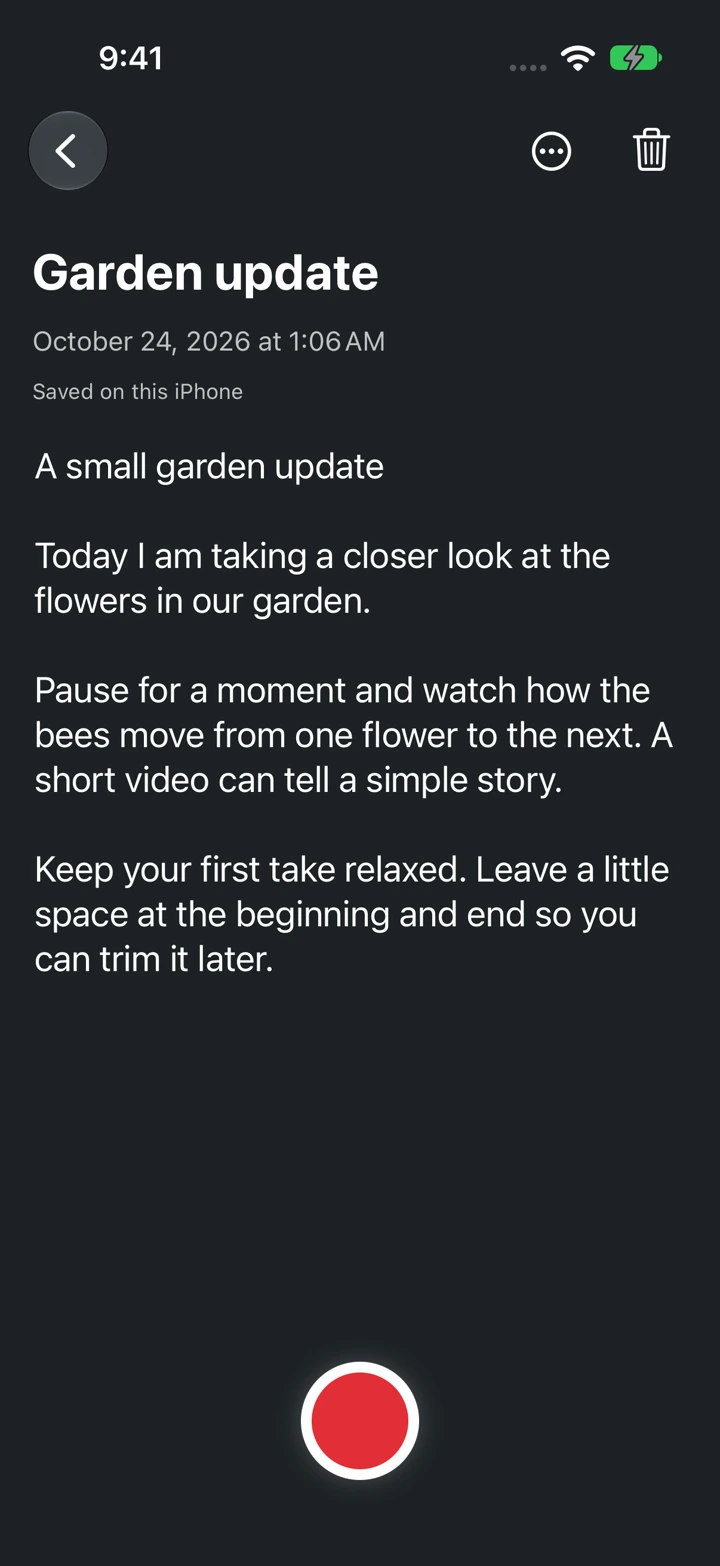
- Check the saved status before leaving the editor. Changes save automatically on this iPhone.
Rehearse before recording
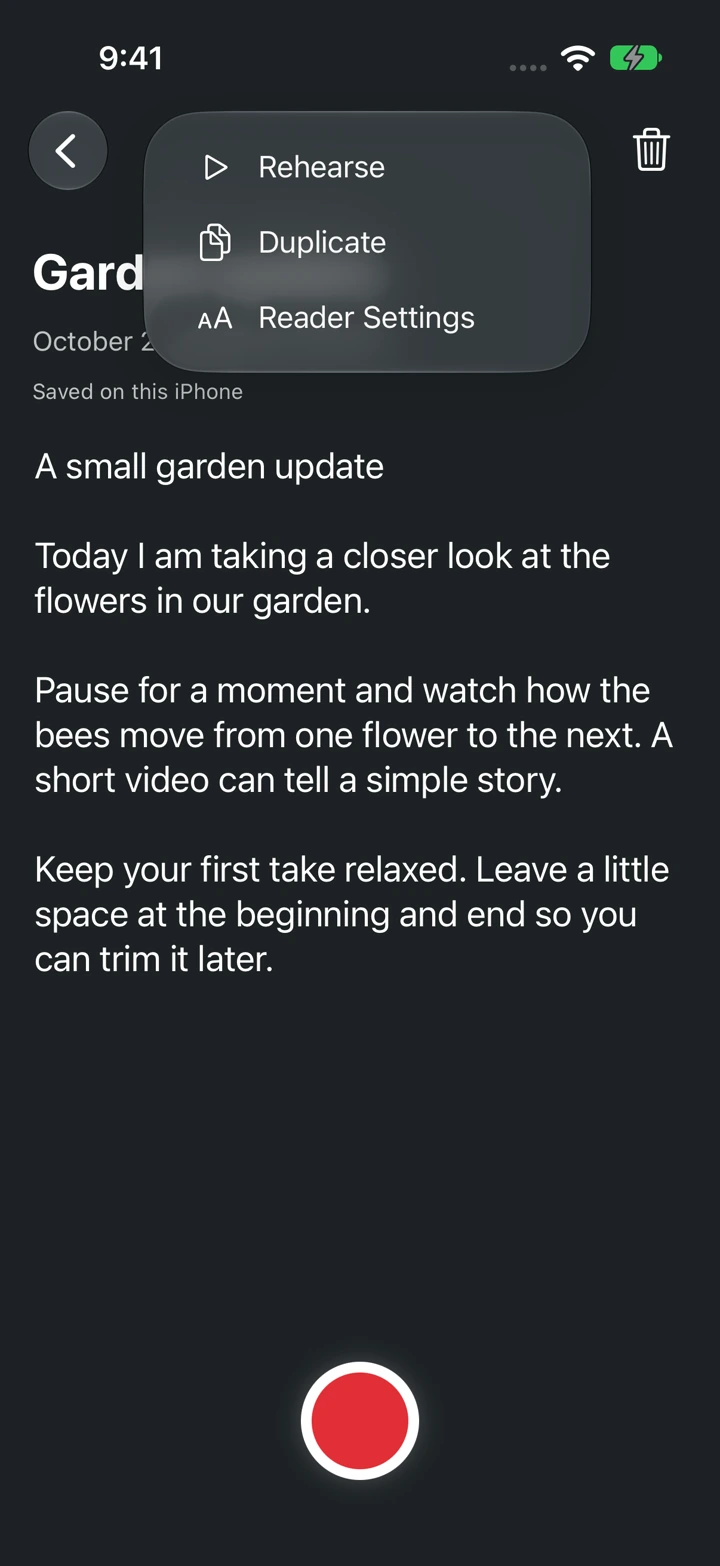
Open the three-dot Script actions menu and choose Rehearse. You can practice without allowing camera or microphone access.
The red Record button in the editor opens Camera mode. It does not start a recording until you tap Record again in the studio.
Where your words are stored
Scripts and original recordings stay on this iPhone. No account is required. Keep a separate copy of important script text before replacing your phone or deleting the app.